
NOTICE:
AAU has changed to a new membership management platform which means the process below has changed for anyone who registered prior to September 1, 2025. All members, new or returning, will need to create a new membership profile on the new system and returning members can link their old account to sync up the information from the old AAU profile. The process can be a bit confusing so if you have trouble or questions, please reach out to us!
Adult Gymnastics Classes at Aspire Kids Sports Center!
If you’re looking for our previous information on Adult Open Gyms, Adult Open Gym has changed formats! We have worked with Aspire Kids Sports Center to now offer an Adult Gymnastics Class. This new class begins August 5, 2026 and is offered two nights per week: Wednesday 7:30pm to 9:30pm and Friday 7:45pm to 9:45pm. Participants will still need to create an AAU membership (please select the non-athlete option for gymnastics) and present a current personal medical insurance card. Find instructions for the AAU registration below. You can find further details for the class at Aspire’s website, linked in the button below.
We no longer host Adult Open Gyms as the Aspire classes have now started. To join the class you will have to register as an adult non-athlete gymnastics member through AAU (this includes a background check and costs $55 per year). You can register here. You can also find step by step instructions for registering below. The non-athlete membership suffices as an adult athlete membership and is required for initiating the background check and providing insurance coverage for the facility.
As you register, make sure to select the following:
- Non-athlete
- Adult Program
- Gymnastics
Once the application is submitted, it can take a week or more for the background check to clear and your membership to be active. Be prepared to show us your AAU membership card along with a Health Insurance card. You can email your info to Coach Glenn prior to the class, as instructed in the Aspire class information, but you may be asked to present the cards on your first visit. If you joined us for Open Gym in the past, Aspire will need to verify that your information is current before beginning the class. As a reminder, you will need to renew your AAU membership September 1 of every year. Payment will be handled through the class registration portal.
If you have any questions, please email us at azphoenixes@gmail.com.
We hope to see you soon!
Aspire Kids Sports Center
Open Gym Closures
There will be NO Open Gym after August 5 as the new gymnastics class will take over. For class closures, updates will be given through Aspire.
Instructions for AAU Membership Application
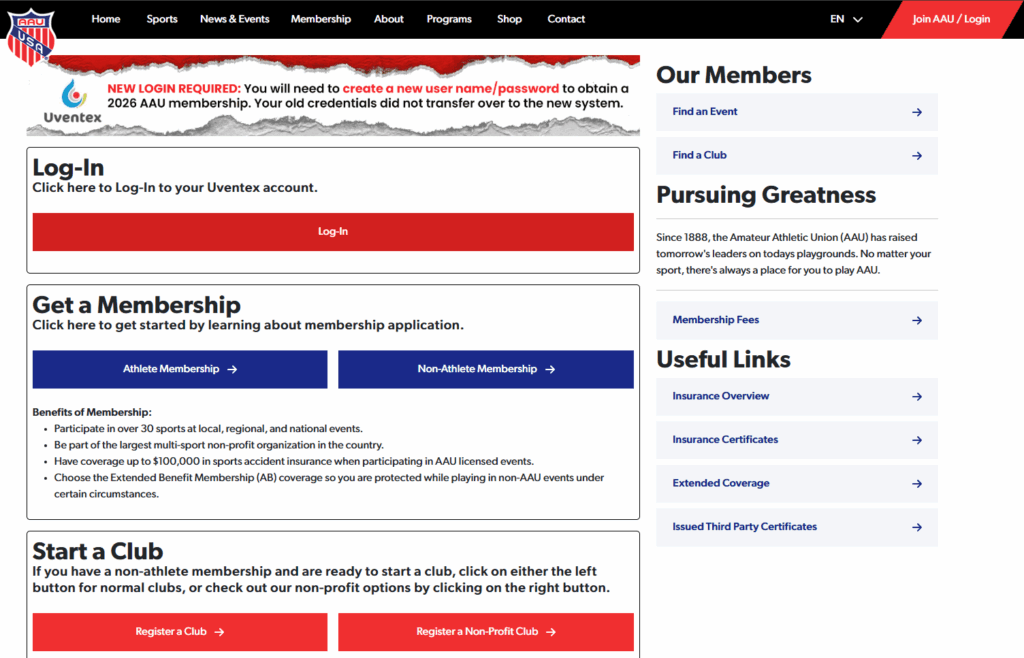
- You will first land on this page. Note that the login process has changed if you have registered before. If you are a new registrant, please select the “Non-Athlete Membership” under the “Get a Membership” section.
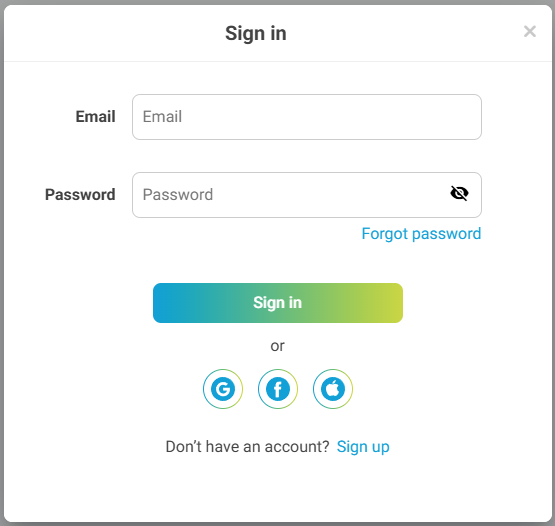
- Everyone will need to create a new account because AAU has switched to a new platform. Click “Sign Up” if you haven’t already created your new account. If you registered last year, don’t worry because you’ll be able to sync up your old account information.
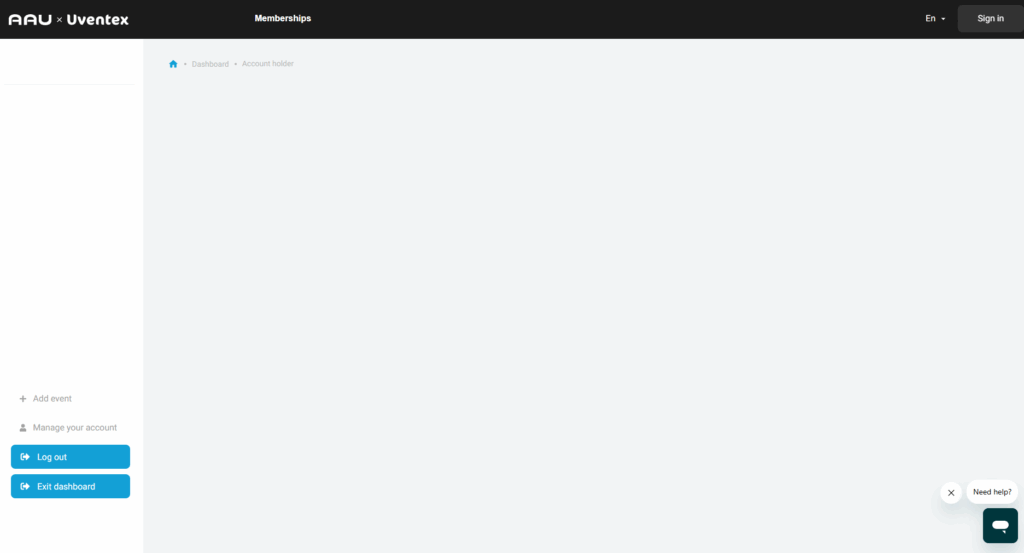
- You will most likely land on the page above after creating your account. Click “Memberships” at the top of the page to get the membership options. Another version of the landing page may have a square menu option next to the username in the top-right. The “Memberships” link should be listed under there as well.
- You will want to select the AAU Non-athlete Memberships 2026 (or current year) option.
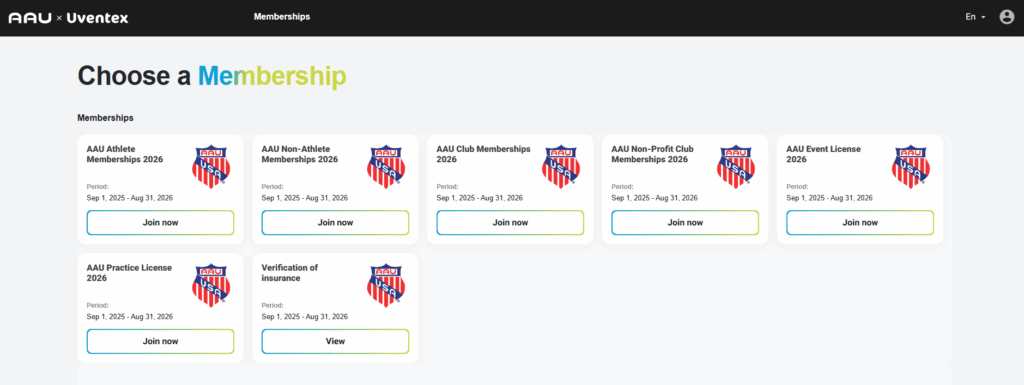
- Click “Get Started” on the next page
- If you are returning, click “Find AAU Membership” to sync your old account to the new one. If you are new, create a new non-athlete user.
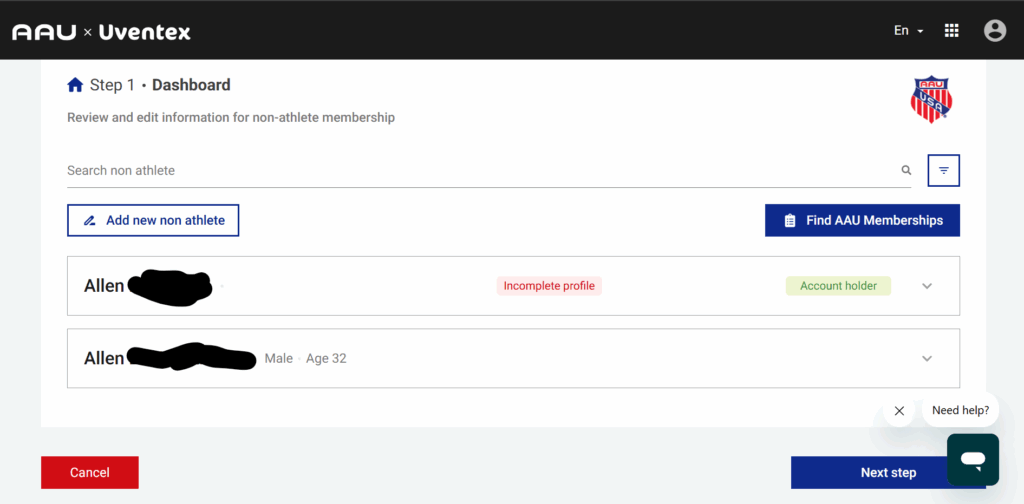
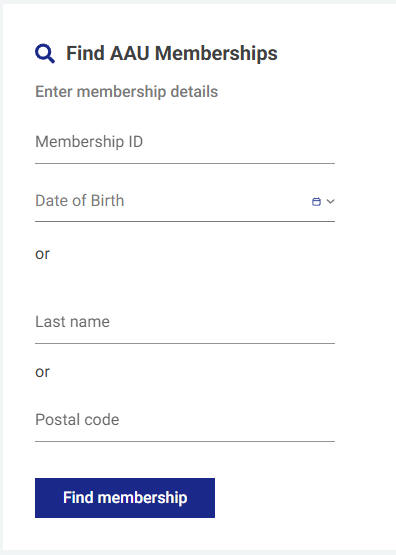
- When looking up your old AAU membership, use your AAU Membership ID and birthdate. I was unable to make the account sync when trying to make it work with Last name or Postal code.
- Once your account is synced, make sure that the information is correct. This information is used for the background check.
- For both returning and new members, make sure that you select non-athlete, Adult member and Gymnastics as the sport.
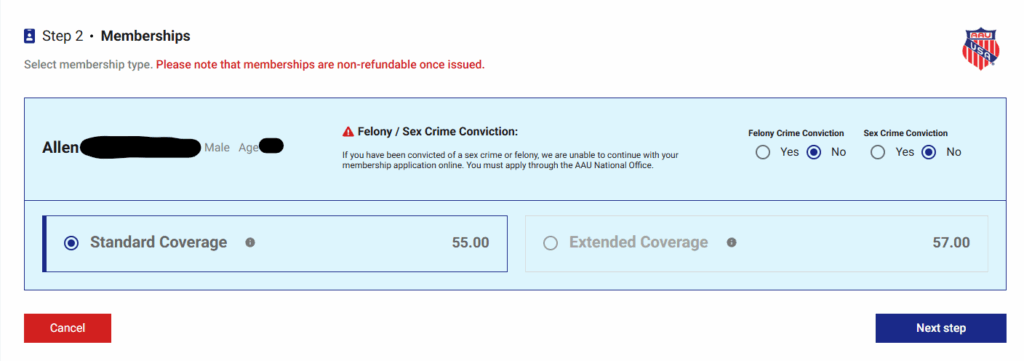
- Once you have the non-athlete information filled out, hit “Next” and you will come to a screen to select radio buttons for Felony/Sex Crime Convictions.
- Select Standard Coverage for the membership. If you want to make it a two-year membership, you can make that selection at checkout.
- Read and accept the Terms and Conditions.
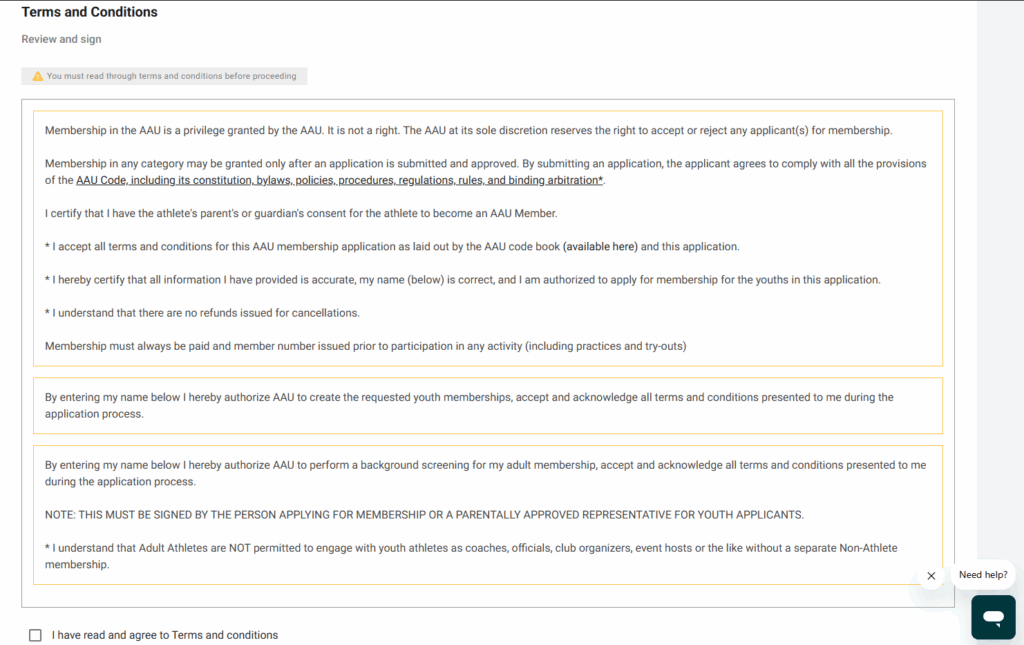
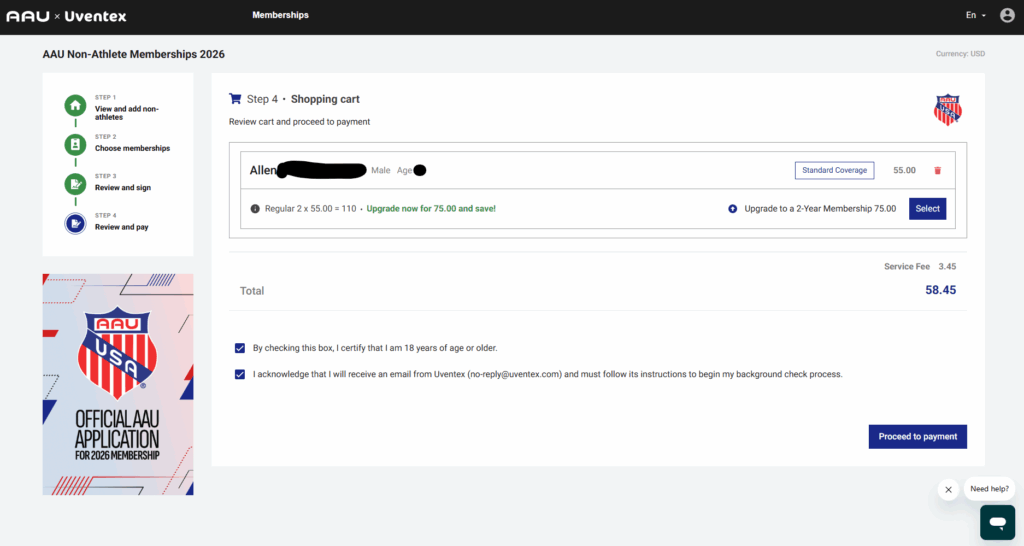
- Review the shopping cart. You have the option to upgrade to a 2-year membership and pay $75 or keep the one-year membership for $55 plus a $3.45 service fee. Acknowledge the checkboxes to proceed. You will then be taken to a receipts page.
- You should then receive an email for the background check. Make sure to click the link and submit the information for the background check to initiate and finalize your AAU membership. Without that, you will not have a current membership and won’t be able to participate in Adult Open Gym.
Once again, if you have any questions, please reach out to us at azphoenixes@gmail.com or reach out to a member of the AZ Phoenixes team directly.